building a mini CMS from scratch for this website (lelu.uk)

what’s the minimum viable static site generator?

This site runs on a custom static site generator built in python. It’s about 400 lines of code total, generates this entire website, and took a couple of evenings to build. This explainer is actually generated by the generator itself :)

I’ve done my research though, and there are plenty of options I know, like Hugo TinaCMS or loads of others. But I wanted something I could understand completely, modify easily, and that does exactly what I need, nothing more.

The philosophy is simple:

  • No frontend frameworks: vanilla HTML, CSS, and JavaScript
  • Python: because it’s what I know
  • Markdown: because it’s easy to edit
  • Features on demand: only what’s actually needed

Let’s walk through how it works.

content features

The CMS supports a handful of features that cover most of what I need for technical writing. Each feature is designed to have a clean markdown syntax that converts to semantic HTML.

frontmatter

Every article starts with YAML frontmatter that defines metadata:

---
slug: my-article
title: My Article Title
date: 2026-01-05
type: project
description: A short description for SEO
draft: false
---

This populates the page title, meta tags, URL path, and the listing on the home page. The type field (project or post) determines which section it appears in. The draft field is actually useful to work on something when I don’t want it to be picked up by the static generation yet.

images with captions

Standard markdown images can have captions by adding an italic line immediately after:

![Screenshot of the UI](images/screenshot.png)
*The main interface showing all controls*

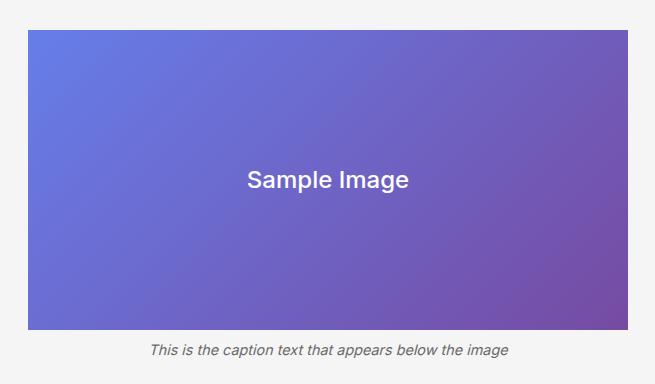
This renders as a semantic <figure> element with <figcaption>:

Figure with caption example
A figure with caption as rendered by the CMS

strikethrough

Double tildes for strikethrough text:

I ~~curated~~ generated the word list using AI.

Renders as: I curated generated the word list using AI.

code blocks with syntax highlighting

Fenced code blocks get syntax highlighting via Pygments:

```python
def hello():
    print("Hello, world!")
```
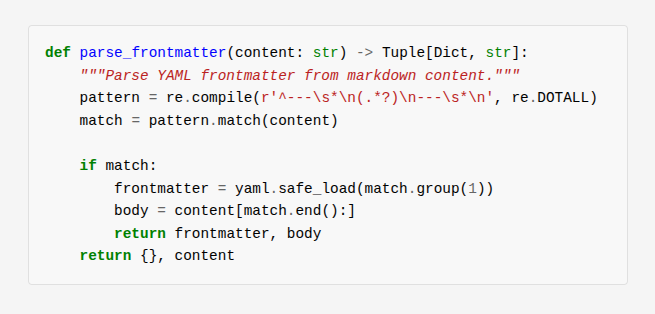
Syntax highlighted code block
Python code with Pygments syntax highlighting

collapsible code blocks

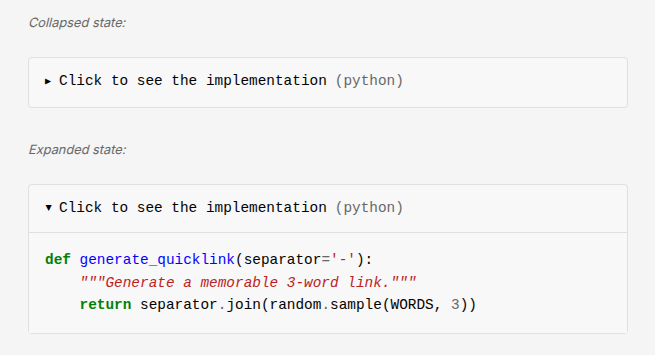
For long code that might distract from the main content, add collapsed after the language:

Click to see the implementation (python)
def generate_quicklink(separator='-'):
    return separator.join(random.sample(WORDS, 3))
Collapsible code block states
Collapsed and expanded states of a code block

collapsible blockquotes

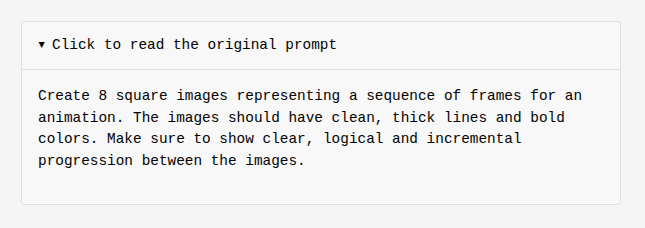
Same idea for blockquotes - useful for lengthy quotes or prompts:

>collapsed Click to read the original prompt
> Create 8 square images representing a sequence...
Collapsible blockquote states
Collapsed and expanded states of a blockquote

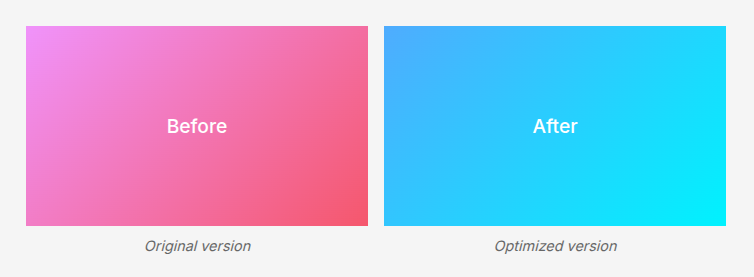
side-by-side images

For comparisons or showing related images together, wrap them in a div:

<div class="image-row">

![Before](images/before.png)
*Original version*

![After](images/after.png)
*Optimized version*

</div>
Side-by-side images example
Two images displayed horizontally with captions

embedded HTML apps

Articles can include standalone HTML applications. Just add a folder with an index.html:

content/my-project/
├── index.md          # Article content
├── images/
└── app/              # Embedded web app
    ├── index.html
    ├── style.css
    └── script.js

Link to it with: [Try the demo](app/index.html)

The folder gets copied to the output, so the app is served as static files alongside the article.

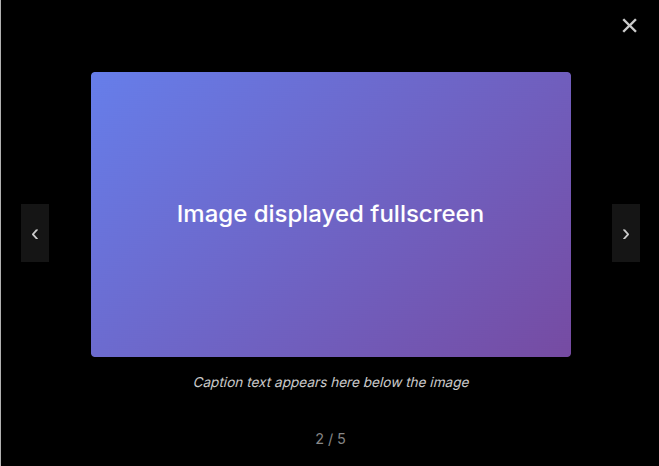
image lightbox

All images are automatically clickable. Clicking opens a fullscreen lightbox with:

  • Navigation arrows between images
  • Keyboard shortcuts (← → to navigate, Escape to close)
  • Swipe gestures on mobile
  • Captions and image counter
Lightbox overlay
The lightbox showing an image fullscreen with navigation

content workflow

creating a new article

# Create the article folder and images directory
mkdir -p content/my-article/images

# Create the markdown file
touch content/my-article/index.md

directory structure

content/my-article/
├── index.md          # Article content (markdown + frontmatter)
├── images/           # Article images
│   ├── hero.jpg
│   └── diagram.png
└── demo/             # Optional: embedded HTML app
    └── index.html

writing & previewing

# Terminal 1: Auto-rebuild on file changes
python -m generator.build --watch

# Terminal 2: Serve locally
python -m http.server 8080 -d output

Visit http://localhost:8080 to preview. Every time you save a file, the site rebuilds automatically.

publishing

# On the VPS
cd /var/www/lelu.uk
git pull
python -m generator.build

A cron job runs this daily at 3 AM, so pushing to the repo is usually enough.

technical architecture

project structure

lelu.uk/
├── content/               # Markdown articles
│   └── {slug}/
│       ├── index.md
│       └── images/
├── templates/             # Jinja2 templates
│   ├── base.html          # Common layout
│   ├── home.html          # Home page
│   └── article.html       # Article pages
├── static/                # Static assets
│   ├── css/style.css
│   ├── js/main.js
│   └── js/lightbox.js
├── generator/             # Python SSG code
│   ├── build.py           # Main build script
│   ├── markdown_parser.py # Markdown processing
│   └── template_engine.py # Jinja2 wrapper
└── output/                # Generated site (gitignored)

build pipeline

┌─────────────────────────────────────────────────────────────────┐
│                        BUILD PIPELINE                           │
└─────────────────────────────────────────────────────────────────┘

  content/*.md          templates/*.html         static/*
       │                      │                      │
       ▼                      │                      │
  ┌─────────┐                 │                      │
  │ Parse   │                 │                      │
  │ Front-  │                 │                      │
  │ matter  │                 │                      │
  └────┬────┘                 │                      │
       │                      │                      │
       ▼                      │                      │
  ┌─────────┐                 │                      │
  │ Convert │                 │                      │
  │ Markdown│                 │                      │
  │ → HTML  │                 │                      │
  └────┬────┘                 │                      │
       │                      │                      │
       ▼                      ▼                      │
  ┌─────────────────────────────────┐                │
  │       Render Templates          │                │
  │  (inject content into layout)   │                │
  └───────────────┬─────────────────┘                │
                  │                                  │
                  ▼                                  ▼
            ┌───────────────────────────────────────────┐
            │              output/                      │
            │  ├── index.html (home)                    │
            │  ├── {slug}/index.html (articles)         │
            │  ├── css/, js/, images/ (static)          │
            │  ├── sitemap.xml                          │
            │  └── robots.txt                           │
            └───────────────────────────────────────────┘

The build runs in about 0.5 seconds for the entire site.


code walkthrough

markdown parser

The parser handles three main tasks: extracting frontmatter, converting markdown to HTML, and post-processing for custom features.

Frontmatter extraction uses a simple regex to find YAML between --- delimiters:

def parse_frontmatter(content: str) -> Tuple[Dict[str, Any], str]:
    """Parse YAML frontmatter from markdown content."""
    frontmatter_pattern = re.compile(r'^---\s*\n(.*?)\n---\s*\n', re.DOTALL)
    match = frontmatter_pattern.match(content)

    if match:
        frontmatter_raw = match.group(1)
        body = content[match.end():]
        frontmatter = yaml.safe_load(frontmatter_raw) or {}
    else:
        frontmatter = {}
        body = content

    return frontmatter, body

Image captions are detected after markdown conversion by looking for <img> followed by <em>:

def convert_image_captions(html: str, base_path: str = "") -> str:
    """Convert image + italic pattern to figure with figcaption."""
    # Pattern: <p><img ...>\n<em>caption</em></p>
    pattern = re.compile(
        r'<p>\s*<img\s+([^>]*?)\s*/?>\s*\n?\s*<em>([^<]+)</em>\s*</p>',
        re.IGNORECASE
    )

    def replace_with_figure(match):
        img_attrs = match.group(1)
        caption = match.group(2)
        return f'<figure>\n  <img {img_attrs}>\n  <figcaption>{caption}</figcaption>\n</figure>'

    return pattern.sub(replace_with_figure, html)

Collapsible code blocks require preprocessing because the standard markdown parser doesn’t understand the collapsed keyword. We extract them before conversion, replace with placeholders, then restore them with proper <details> HTML after:

def preprocess_collapsible_code(markdown_text: str) -> tuple:
    """Extract collapsed code blocks before markdown conversion."""
    pattern = re.compile(
        r'```(\w+)\s+collapsed\s+(.+?)\n(.*?)```',
        re.DOTALL
    )

    placeholders = {}
    counter = [0]

    def replace_with_placeholder(match):
        language = match.group(1)
        title = match.group(2).strip()
        code = match.group(3).rstrip()

        placeholder_id = f"COLLAPSEDCODEPLACEHOLDER{counter[0]}END"
        counter[0] += 1

        placeholders[placeholder_id] = {
            'language': language,
            'title': title,
            'code': code
        }
        return placeholder_id

    processed = pattern.sub(replace_with_placeholder, markdown_text)
    return processed, placeholders

template system (jinja2)

The template system is a thin wrapper around Jinja2. Here’s what we use from Jinja2 directly:

  • Environment: core class that holds configuration
  • FileSystemLoader: loads templates from disk
  • select_autoescape: prevents XSS by escaping HTML
  • Template inheritance: {% extends "base.html" %}
  • Blocks: {% block content %}{% endblock %}
  • Variables: {{ title }}, {{ content | safe }}
  • Loops & conditionals: {% for item in items %}, {% if condition %}

The wrapper just initializes Jinja2 with our preferences:

class TemplateEngine:
    """Jinja2-based template engine for rendering HTML pages."""

    def __init__(self, templates_dir: Path):
        self.env = Environment(
            loader=FileSystemLoader(str(templates_dir)),
            autoescape=select_autoescape(['html', 'xml']),
            trim_blocks=True,      # Remove newline after block tags
            lstrip_blocks=True     # Strip whitespace before block tags
        )

    def render(self, template_name: str, context: Dict[str, Any]) -> str:
        """Render a template with the given context."""
        template = self.env.get_template(template_name)
        return template.render(**context)

Template inheritance in practice:

base.html defines the page skeleton:

<!DOCTYPE html>
<html lang="en">
<head>
  <title>{% block title %}{{ title }} - lelu.uk{% endblock %}</title>
  <link rel="stylesheet" href="/css/style.css">
</head>
<body>
  <div class="container">
    {% block content %}{% endblock %}
  </div>
  <script src="/js/main.js"></script>
</body>
</html>

article.html extends it and fills in the content block:

{% extends "base.html" %}

{% block content %}
<article>
  <header class="article-header">
    <h1>{{ title }}</h1>
    <time datetime="{{ date }}">{{ date_formatted }}</time>
  </header>
  <div class="article-content">
    {{ content | safe }}
  </div>
</article>
{% endblock %}

css architecture

The CSS uses custom properties for theming:

:root {
  /* Colors */
  --color-bg: #f5f5f5;
  --color-text: #000;
  --color-text-muted: #666;

  /* Typography */
  --font-family: 'Inter', sans-serif;
  --font-weight-regular: 400;
  --font-weight-medium: 500;

  /* Spacing */
  --content-max-width: 800px;
  --content-padding: 2rem;
}

The stylesheet is organised into sections:

  1. Base styles: reset, typography fundamentals
  2. Layout: container, responsive breakpoints
  3. Home page: section headers, lists
  4. Article page: title, meta, content styling
  5. Images & figures: responsive images, captions
  6. Code blocks: Pygments syntax highlighting theme
  7. Collapsible blocks: details/summary styling
  8. Lightbox: fullscreen image overlay

javascript features

Link preloading (main.js) prefetches pages on hover for instant navigation:

document.querySelectorAll('a[href^="/"]').forEach(link => {
    link.addEventListener('mouseenter', () => {
        const href = link.getAttribute('href');
        if (!document.querySelector(`link[href="${href}"]`)) {
            const prefetch = document.createElement('link');
            prefetch.rel = 'prefetch';
            prefetch.href = href;
            document.head.appendChild(prefetch);
        }
    });
});

Image lightbox (lightbox.js) handles:

  • Click to open fullscreen
  • Carousel navigation between images
  • Keyboard shortcuts (← → Escape)
  • Touch/swipe gestures
  • Caption display from figcaption

wrapping up

The entire generator is about 400 lines of python across three files. It builds this site in under a second, supports everything I need for technical writing, and I can extend it whenever I need something new.